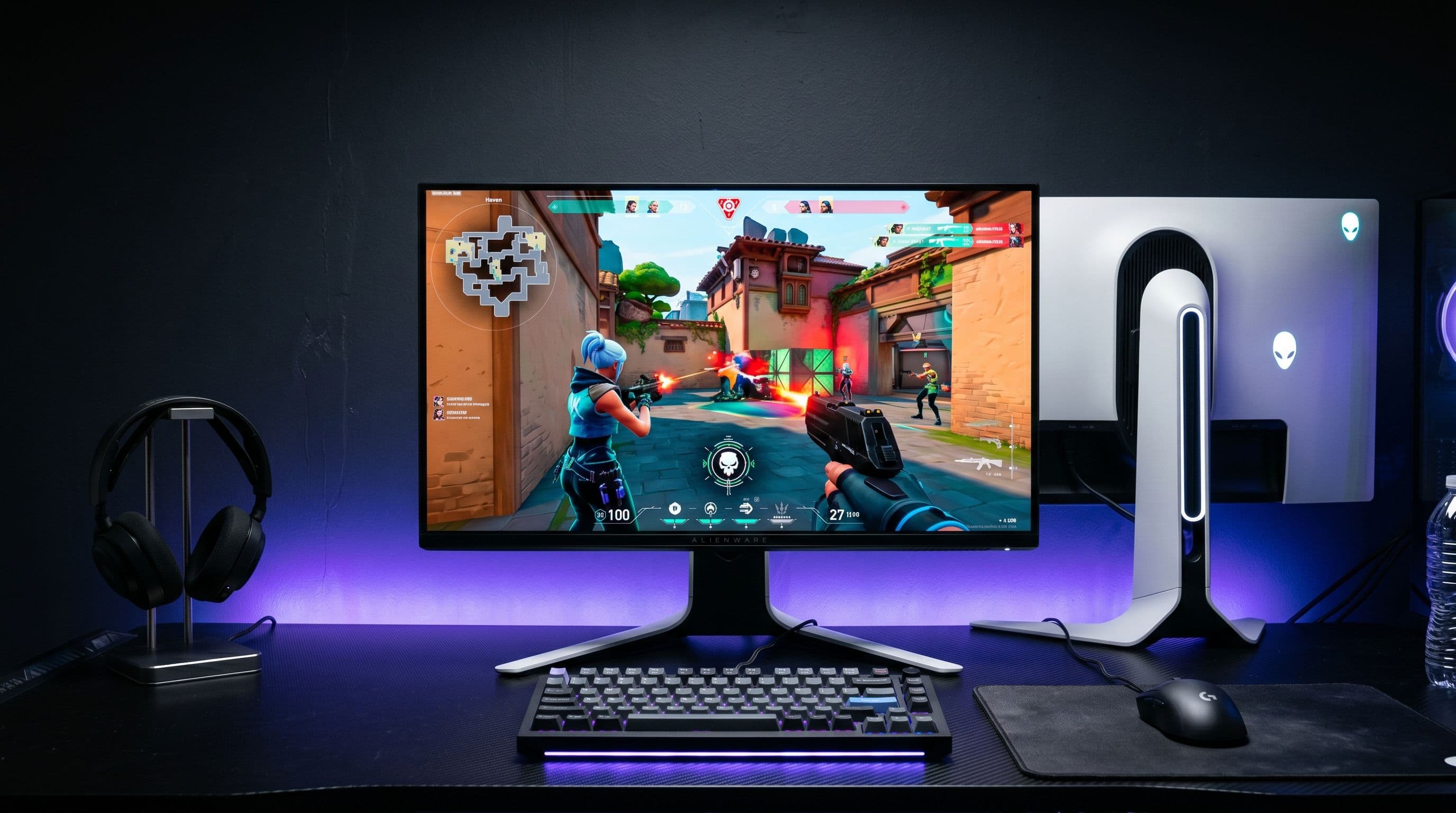
For years, the entry ticket to a brand-name OLED gaming monitor has sat stubbornly above $700. Alienware just kicked the door in. The AW2726DM — a 26.5-inch, 1440p, 240 Hz QD-OLED panel — is launching around April 21 at an MSRP of $349.99. That is not a typo, and it is not a flash sale. That is the sticker price on a QD-OLED from a major brand, and it reshapes what an "affordable" OLED gaming monitor looks like in 2026.
But there is a reason Alienware could hit this number, and it is not magic. The AW2726DM makes one very deliberate trade that buyers need to go in understanding: brightness. At just 200 cd/m² typical in SDR — and roughly 185 nits after calibration in early reviews — this is the dimmest QD-OLED Alienware has ever shipped. Whether that tradeoff is worth it depends almost entirely on the room you plan to put it in.
What $350 gets you
The panel itself is a genuinely modern QD-OLED: 26.5 inches, 2560x1440 resolution, and a 240 Hz refresh rate with a quoted 0.03 ms gray-to-gray response time. Color coverage is what you would expect from a quantum-dot OLED stack — 10-bit, 99% DCI-P3, HDR10 support, and a typical contrast ratio around 1.5 million to one thanks to per-pixel emissive pixels. On paper, the core fundamentals are indistinguishable from panels that cost two or three times as much.
Adaptive sync is covered by both AMD FreeSync Premium and VESA AdaptiveSync, so frame pacing on any modern GPU will be smooth. There is a real catch on connectivity, though: full 240 Hz is only available over DisplayPort 1.4. The two HDMI ports cap out at 1440p/120 Hz, which matters if you are planning to dock a PlayStation 5 or Xbox Series X alongside a PC. Console players will get a fine experience, just not the headline number.
The stand is more generous than the price suggests: 130 mm of height adjustment, -5° to +21° tilt, swivel, and a full 90° pivot in both directions. Build quality on pre-release units has been described as solid rather than premium — fine for the money, and ergonomically more flexible than several $600 competitors.
The 200-nit problem
This is where the spec sheet deserves an honest read. Alienware quotes 200 cd/m² typical SDR brightness, and independent measurements are coming in around 185 nits after calibration. That is low. For reference, most LCD gaming monitors sit between 300 and 400 nits, and the brighter mini-LEDs will punch well north of 1,000. If you game in a sunlit room or next to a south-facing window, you are going to feel it.
HDR tells a slightly better story. Small-window HDR peak lands around 400 nits, which is usable for specular highlights and explosions but well below the 1,000-nit tier that defines the current flagship QD-OLEDs. Where the AW2726DM partially rescues itself is through contrast: OLED's per-pixel off-state means blacks are truly black, and perceived punch is higher than the nit count alone suggests. In a dim living room or a controlled desk setup, this monitor looks far better than 185 nits has any right to. In a bright one, no amount of pixel-level contrast will paper over the brightness floor.
The summary is simple: this is an OLED built for controlled lighting, not one that will fight the sun. Treat that as a feature of the price bracket, not a surprise.
How it stacks up against the AW2725Q
Alienware's own AW2725Q is the natural comparison, and the gap is instructive. The 2725Q is a 4K 240 Hz QD-OLED with 1,000-nit HDR peak brightness in small windows, and it sells for roughly $750 to $900 depending on the week. Step up to ASUS's PG27UCDM or MSI's MPG 272URX and you are looking at $1,100 to $1,200 for similar 4K flagship territory.
The AW2726DM is not trying to be any of those monitors. At 1440p instead of 4K, with roughly 40% of the HDR headroom, and for less than half the price of its nearest sibling, it is aimed at a fundamentally different buyer. If you want the best HDR movie experience or the sharpest pixel density for productivity, the AW2725Q still earns its premium. If you want OLED response times and contrast for competitive gaming without the 4K tax, the AW2726DM is the cheapest legitimate way to get there.
Who should buy it
There are three buyers this monitor was clearly built for. The first is the competitive 1440p gamer who cares more about response time and frame pacing than peak brightness — at 0.03 ms GtG and 240 Hz, this panel is as responsive as anything on the market. The second is the first-time OLED buyer who has been waiting for the price to come down and wants a low-risk entry point into the technology. The third is anyone who has been priced out of 4K QD-OLED and would rather have OLED fundamentals at 1440p than LCD compromises at 4K.
The people who should skip it are also easy to identify. If you primarily watch HDR movies, the 400-nit peak will feel flat next to a 1,000-nit flagship. If your desk sits in direct sunlight or under aggressive office lighting, the 200-nit SDR ceiling will frustrate you every day. And if you are already chasing 4K at high refresh for productivity or creative work, the sharper pixel density of a 27-inch 4K panel is still worth the extra money.
The bigger story is not really about any one monitor. A $350 QD-OLED from a top-three brand pushes the entire OLED category downward. ASUS, LG, MSI, and Samsung now have to answer the question of what a $600 OLED offers that a $350 one does not — and for most buyers, the honest answer is going to be "more brightness and a bigger badge." That is a conversation the OLED market has been overdue to have, and the AW2726DM is the monitor that forces it.